


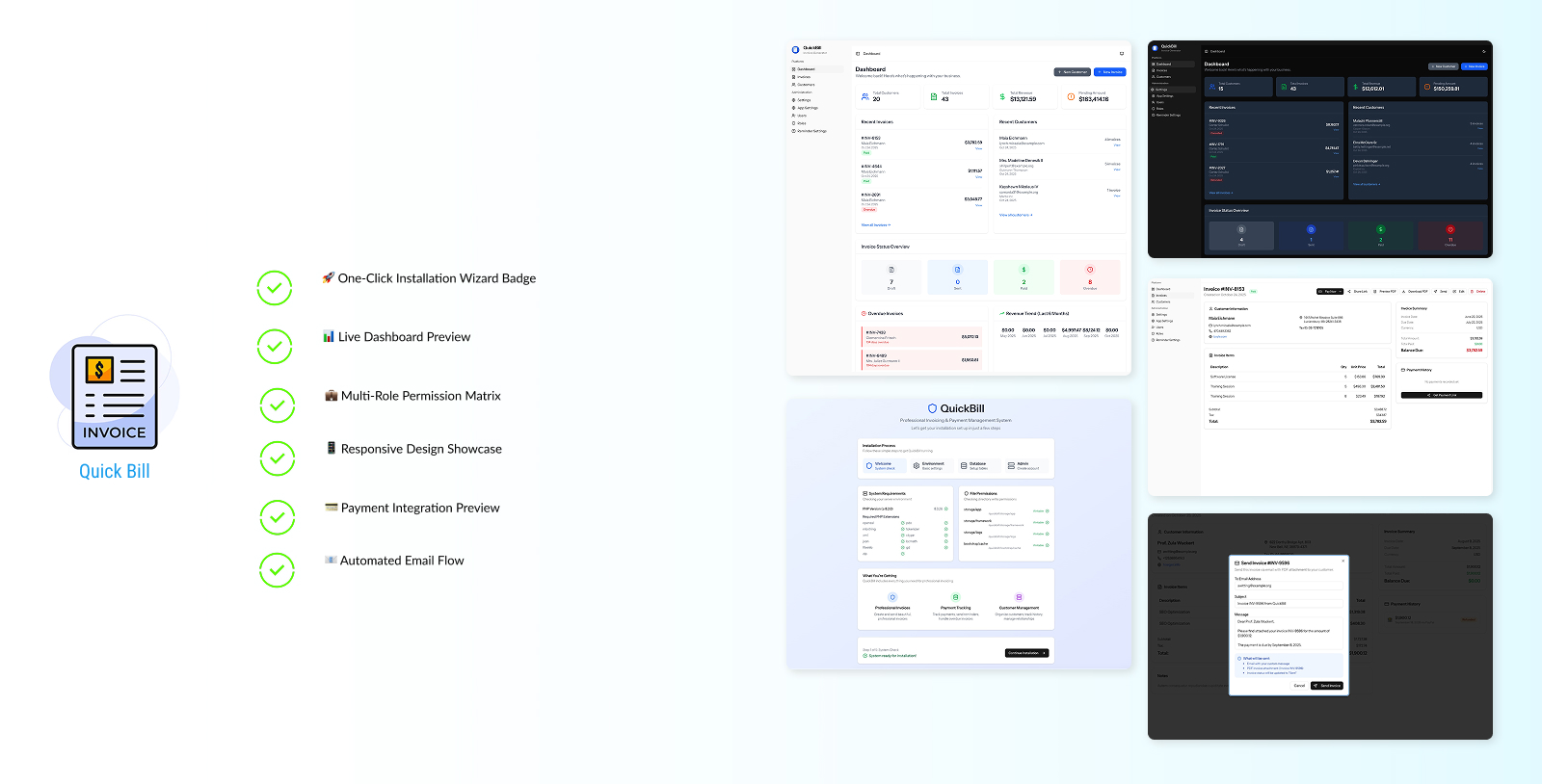
Freelancers rely on invoicing software to get paid — but many popular tools come with monthly fees, limited customization, and long-term platform lock-in.
If you send invoices regularly, those subscriptions can quietly eat into your income. That’s why more freelancers are starting to look for simple, affordable, and flexible invoicing solutions — including self-hosted options with one-time payments.
In this article, we’ll look at:
- what freelancers actually need from invoicing software
- common invoicing options (and their tradeoffs)
- why self-hosted invoicing is gaining interest
- a practical self-hosted invoicing solution for freelancers
What Freelancers Actually Need in Invoicing Software
Despite the number of invoicing tools on the market, most freelancers are looking for a very similar set of features:
- Easy invoice creation
- Professional-looking invoice PDFs
- Payment tracking (paid, unpaid, overdue)
- Automatic email reminders
- Client management
- Stripe or online payment support
- Predictable pricing without hidden costs
For many freelancers, invoicing doesn’t need to be complex — it just needs to work reliably and look professional.
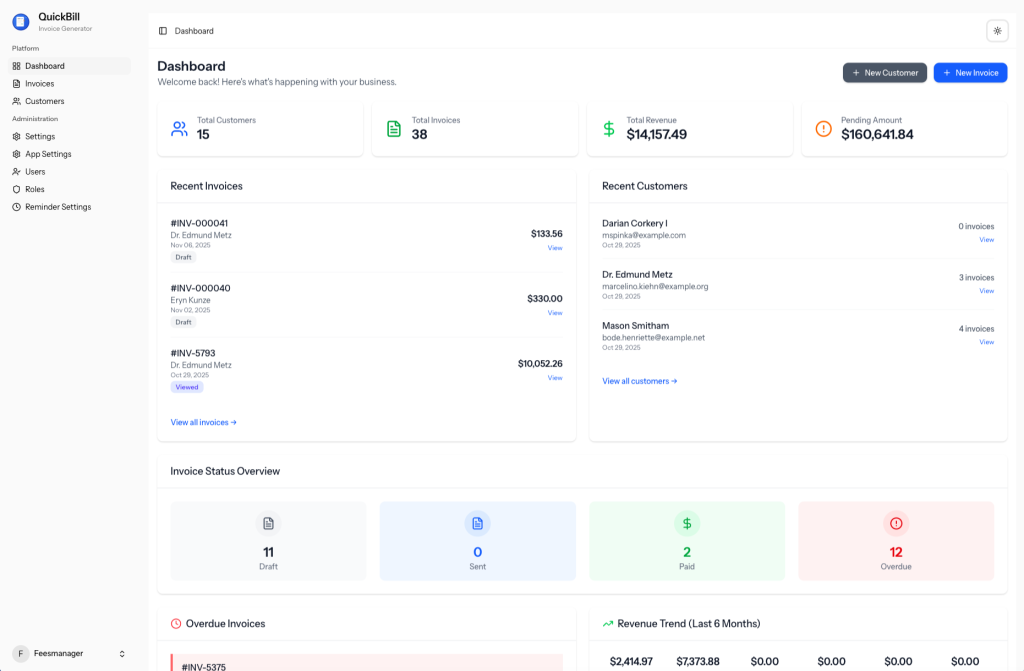
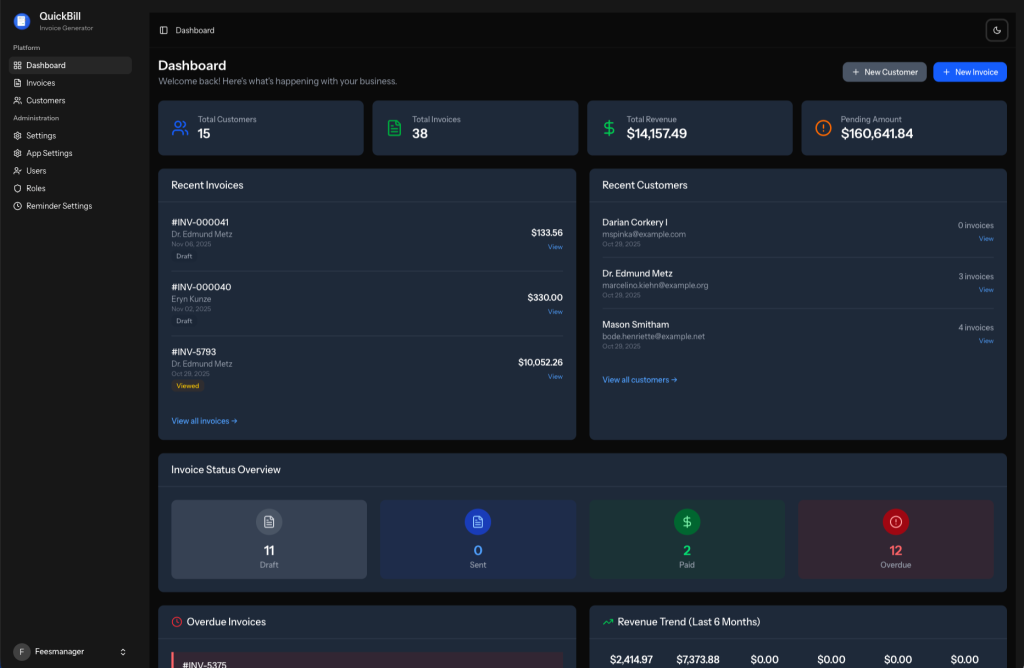
Here’s what a professional invoicing dashboard can look like:
Common Invoicing Options for Freelancers
1. Stripe or PayPal Invoices
Stripe and PayPal offer built-in invoicing tools that integrate directly with payments.
Pros
- Easy to set up
- Trusted payment platforms
Cons
- Limited customization
- Minimal client management
- Invoicing is tied tightly to the payment provider
These work well for simple use cases, but can feel restrictive as your workflow grows.
2. SaaS Invoicing Tools (Wave, FreshBooks, Zoho, etc.)
Subscription-based invoicing platforms are popular among freelancers and small businesses.
Pros
- Feature-rich
- No self-hosting required
Cons
- Monthly or yearly fees
- Limited flexibility
- Data locked into a third-party platform
For freelancers sending invoices long-term, recurring costs can add up quickly.
3. Spreadsheets and Documents
Some freelancers still rely on spreadsheets or document templates.
Pros
- Free
- Fully customizable
Cons
- Manual work
- Easy to make mistakes
- No automation or payment tracking
This approach works at the beginning, but rarely scales well.
Why Some Freelancers Choose Self-Hosted Invoicing Software
Self-hosted invoicing software is installed on your own server instead of running on a third-party SaaS platform.
Benefits of Self-Hosted Invoicing
- One-time payment instead of subscriptions
- Full ownership of invoice and client data
- Freedom to customize workflows
- No dependency on a specific platform
Tradeoffs to Consider
- Requires basic server setup
- Better suited for technical users or those willing to get setup help
For freelancers who value control and predictable costs, self-hosted invoicing can be a strong alternative.
QuickBill: A Practical Self-Hosted Invoicing Solution
QuickBill is a self-hosted invoicing system built specifically for freelancers and small businesses who want simplicity, ownership, and flexibility — without recurring SaaS fees.
Key Highlights
- One-time purchase
- Self-hosted (your data stays yours)
- Professional invoice PDFs
- Automatic email invoices and reminders
- Stripe payment gateway integration
- Client management with notes and payment history
- Role-based access for growing teams
QuickBill focuses on the core invoicing workflow without unnecessary complexity.
Built for Freelancers and Small Businesses
QuickBill is designed for:
- Freelancers managing multiple clients
- Small businesses sending recurring invoices
- Agencies that need role-based access
- Developers who want a customizable invoicing system
It is not intended for users who prefer fully hosted SaaS tools or don’t want to self-host at all.
Easy Setup Options (Even for Non-Technical Users)
To reduce setup friction, QuickBill supports multiple setup paths:
- Self-Setup — install it yourself using the web installer
- Assisted Setup — get help installing and configuring Stripe
- Done-For-You Setup — full installation and configuration handled for you
This flexibility allows freelancers of different technical levels to use the same system confidently.
When Is Self-Hosted Invoicing the Right Choice?
Self-hosted invoicing software like QuickBill is a good fit if you:
- want to avoid monthly invoicing fees
- prefer owning your data
- need flexibility beyond basic payment tools
- don’t mind (or want help with) setup
If those points matter to you, a self-hosted option is worth considering.
Final Thoughts
There is no single “best” invoicing software for every freelancer. Stripe, SaaS tools, and spreadsheets all have valid use cases.
However, if you’re looking for:
- invoicing software with no recurring fees
- full control over your data
- a system you can customize as your business grows
then a self-hosted solution like QuickBill offers a practical alternative.
👉 You can learn more about QuickBill here:
https://suavistech.gumroad.com/l/quickbill